
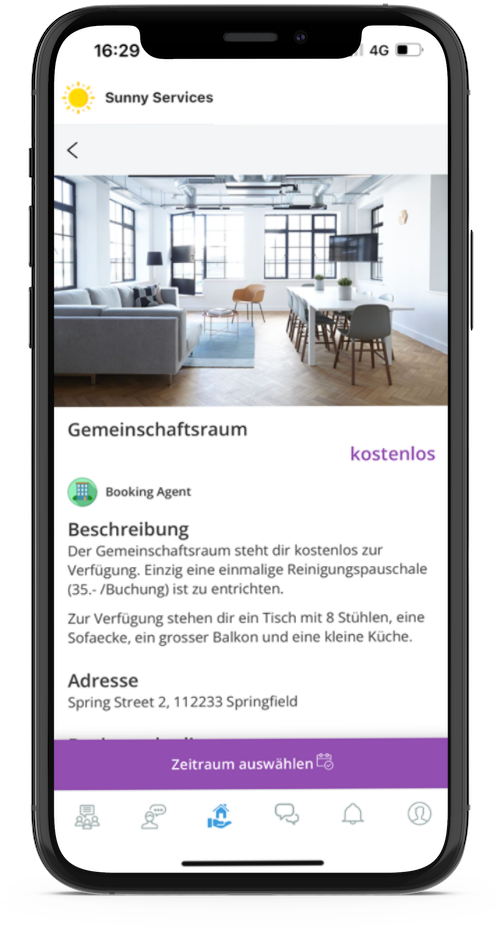
Bookings allows shared rooms, parking spaces, conference rooms and other shared resources to be made available for booking.
1 more images
1 more images
Feature description
Make guest rooms, common rooms or sports equipment available for booking and handle the entire process, including payment, digitally.
- Make assets "bookable
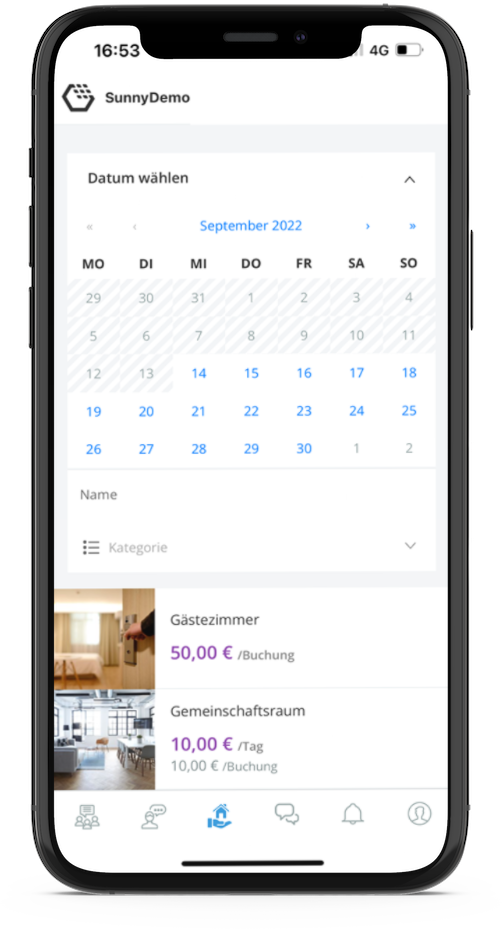
Offer your tenants guest rooms, common rooms or similar for booking and reduce the effort for you and your tenants. - Select time periods
Make resources easily bookable from the cockpit and make selected days and/or time periods available. - Process payment via app
Tenants can pay conveniently by credit card in the app, or you can offer the option of booking on account. - Integrate locking systems
The integration of digital locking systems makes it possible to open rooms without the time-consuming handover of keys.
Technical feature elements
Allthings data structure
This solution leverages the central Allthings data structure. As a result, all data relating to users, units, buildings, and projects is based directly on the standard Allthings data model.
Allthings role and permissions
This feature allows connected solutions to inherit roles and permissions directly from Allthings. This ensures that standard roles—such as property managers and caretakers—along with their permissions, are seamlessly utilized.
Dashboard card in Cockpit
The Cockpit dashboard card feature allows property or asset managers to access solution-generated dashboards and view open tasks.
Native integration
Native integration provides a custom-tailored view for the external solution. This ensures seamless integration on both the backend and the frontend.
KPI visualization
The KPI visualization feature gives property management team members direct access to all relevant key performance indicators.
Notification integration
This integration allows connected solutions to leverage the central Allthings notification system directly for their own communication.
SSO for property management teams
Single Sign-on (SSO) allows team members to use their Allthings account to log in to connected solutions. This enables seamless authentication without the need to manage separate credentials for each application. Most importantly, SSO technology ensures that your original passwords are never shared with external solution providers.
SSO for residents
Single Sign-on (SSO) means that residents can use their Allthings account to log in to solution accounts. This method enables authentication without the need to create separate credentials for different solutions. Crucially, SSO technology ensures that the original login details are never shared with the solution provider.
Additional information
User flow rating
Level 3 of 3
Available countries
Available for all countries
Technical feature elements
- Allthings data structure
- Allthings role and permissions
- Dashboard card in Cockpit
- Native integration
- KPI visualization
- Notification integration
- SSO for property management teams
- SSO for residents
Developed for
- Construction phase
- Property management
Required solutions
- Allthings Resident Portal
Solution provider
Contact
Contact sales