
Avoid double bookings and manual checks for linked assets: Allthings automatically blocks all connected assets for the same time period.
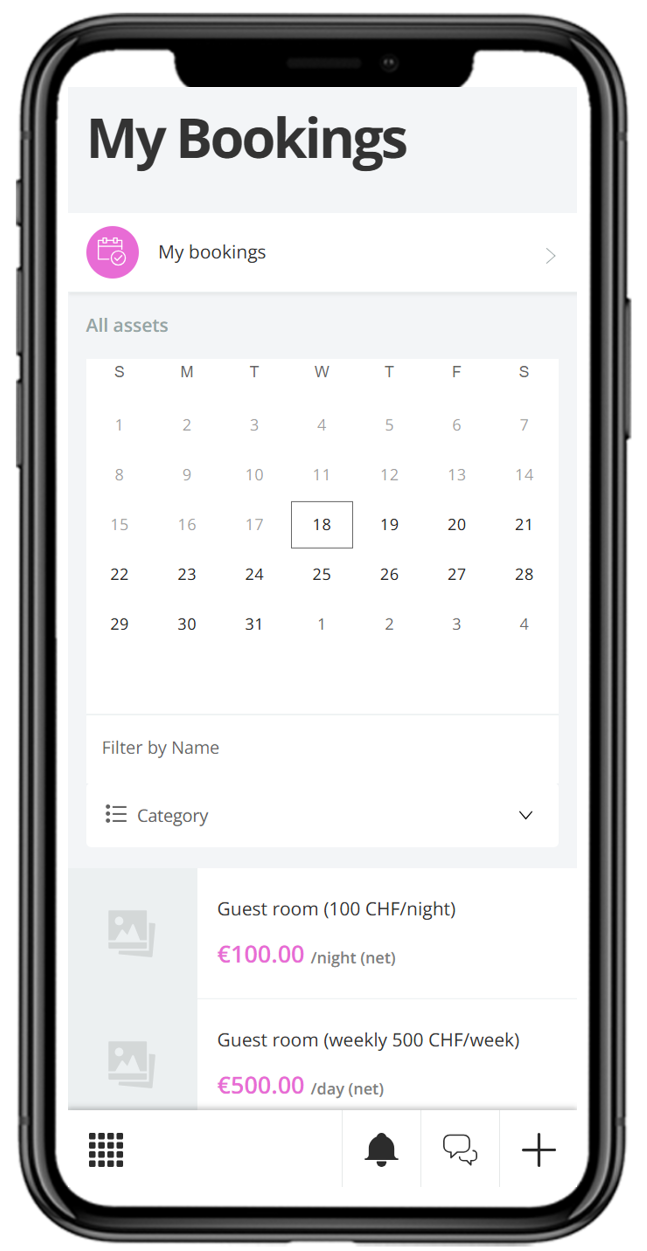
Feature description
Avoid double bookings and manual checking for linked bookable assets – fully automated.
About the solution: Multibooking is an automation feature for the Allthings booking function. It links multiple bookable assets into a group that mutually exclude each other when booked. When one asset in the group is booked for a time slot, the other assets are automatically blocked for the same period.
Your benefit from the Allthings integration: For bookable assets with different pricing structures – for example a guest room with separate rates for 2 or 4 people, or for residents versus external guests – property management previously had to manually check whether a resource was already occupied elsewhere. Integrating this into the Allthings booking function removes that check entirely: as soon as one asset is booked, the system automatically blocks all linked assets for the same period. This reduces the administrative workload for property management and reliably eliminates double bookings caused by manual error.
How simple it is for your residents:
Select an asset: The resident selects a bookable asset in the Resident Portal as usual, e.g. a guest room at the applicable rate.
Check availability: Only time slots are shown in which neither the selected asset nor a linked one is already occupied.
Book: The booking is confirmed as usual.
Automatically protected: In the background, Allthings blocks all linked assets for the same period – a double booking is ruled out.
Key features at a glance:
Automatic blocking of linked assets: Every booking automatically blocks all assets in the same group for the booked period.
Automatic release: If a booking is cancelled or declined, Allthings immediately lifts the block on the linked assets again.
Flexible grouping: Any number of assets can be combined into one or several groups – for example for different pricing tiers or physically identical resources.
Seamless integration: Runs directly within the existing Allthings booking function, with no separate application or extra steps required.
Technical feature elements
Allthings data structure
This solution leverages the central Allthings data structure. As a result, all data relating to users, units, buildings, and projects is based directly on the standard Allthings data model.
Allthings role and permissions
This feature allows connected solutions to inherit roles and permissions directly from Allthings. This ensures that standard roles—such as property managers and caretakers—along with their permissions, are seamlessly utilized.
Additional information
User flow rating
Level 3 of 3
Available countries
Available for all countries
Technical feature elements
- Allthings data structure
- Allthings role and permissions
Developed for
- Residents
- Property management
Required solutions
- Allthings Booking
Solution provider
Contact
Contact sales